Loading Arrivo
Features

Built for the moments between leaving and arriving

Arrivo turns a trip into something the people you trust can follow, without turning your life into a live feed.

Set up a journey in about 30 seconds

Search for a village, town or street, or drop a pin on the map. Choose how you are travelling, set when you expect to arrive, and pick who should know. A summary shows exactly what your contacts will see before anything starts.
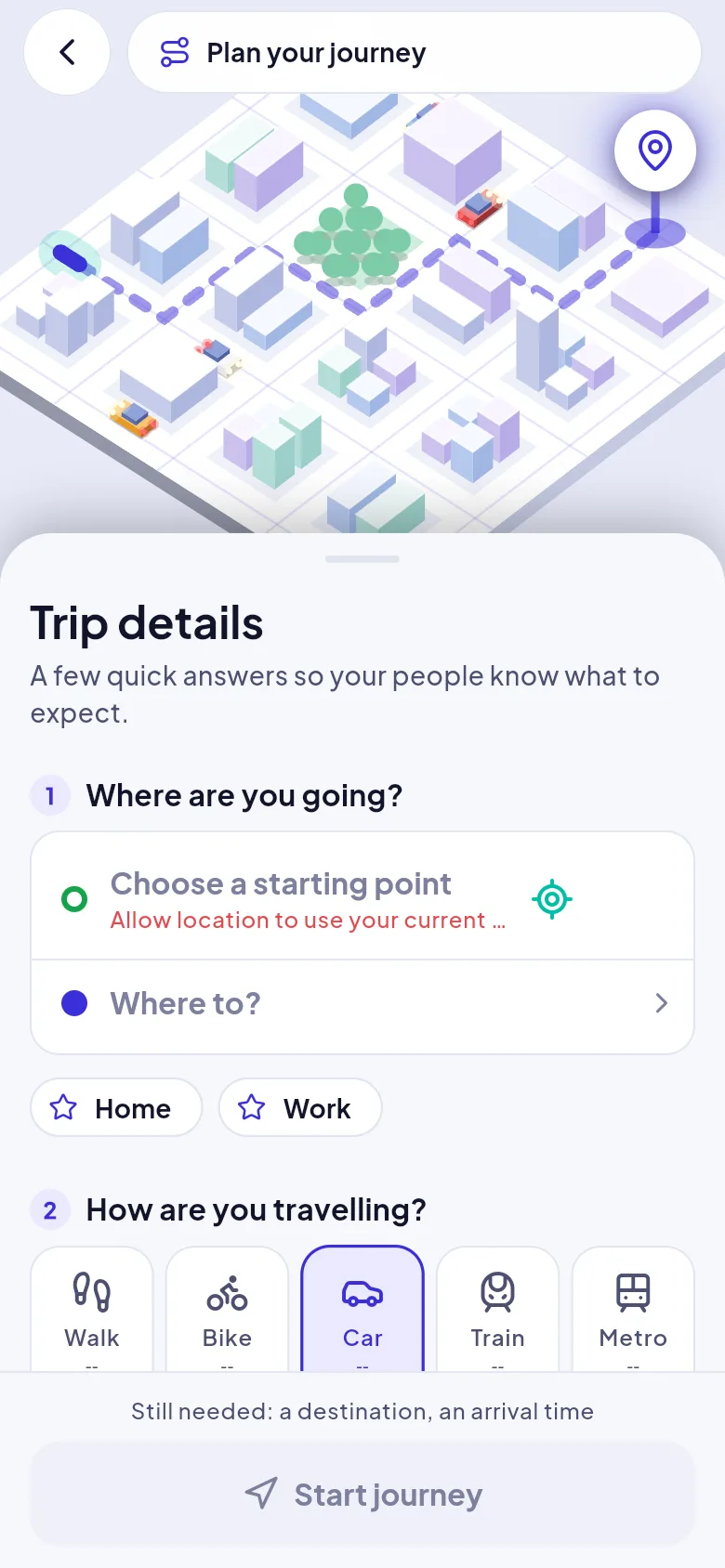
  • Saved places such as Home and Work, and recent places, come first
  • Repeat a previous trip with one tap from the home screen
  • Your last-used contacts are preselected
  • Starting point defaults to your current location
Screenshot: Trip details screen: starting point, destination, travel mode and arrival time

Plans for walking, cycling, driving, trains and metro

Pick a mode and Arrivo plans the route and the time. For train and metro it finds the nearest stations to your start and your destination and plans three legs: how you get to the station, the ride, and how you get from the station to your destination.
  • Change either station, or the first and last mile, if you prefer
  • Each leg is drawn in its own colour on the map
  • Where no timetable is available the time is an estimate, and Arrivo labels it as one
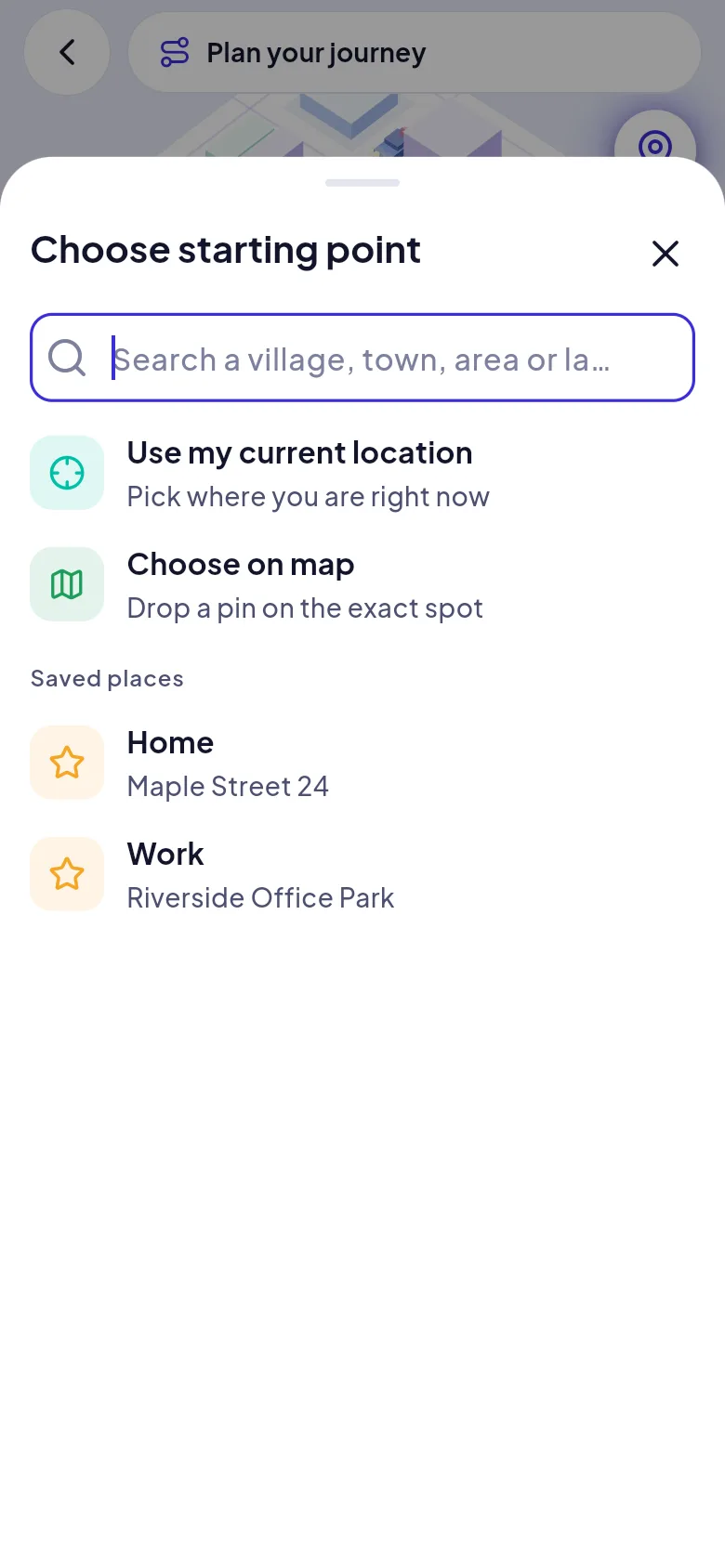
Screenshot: Place search sheet with current location, map pin and saved places

Follow along on a live map

While you travel, the map shows your route, your position and your expected arrival. If plans change, move the arrival time and your contacts are told. If you are in a taxi, share a photo of the number plate so they can see which vehicle you are in.
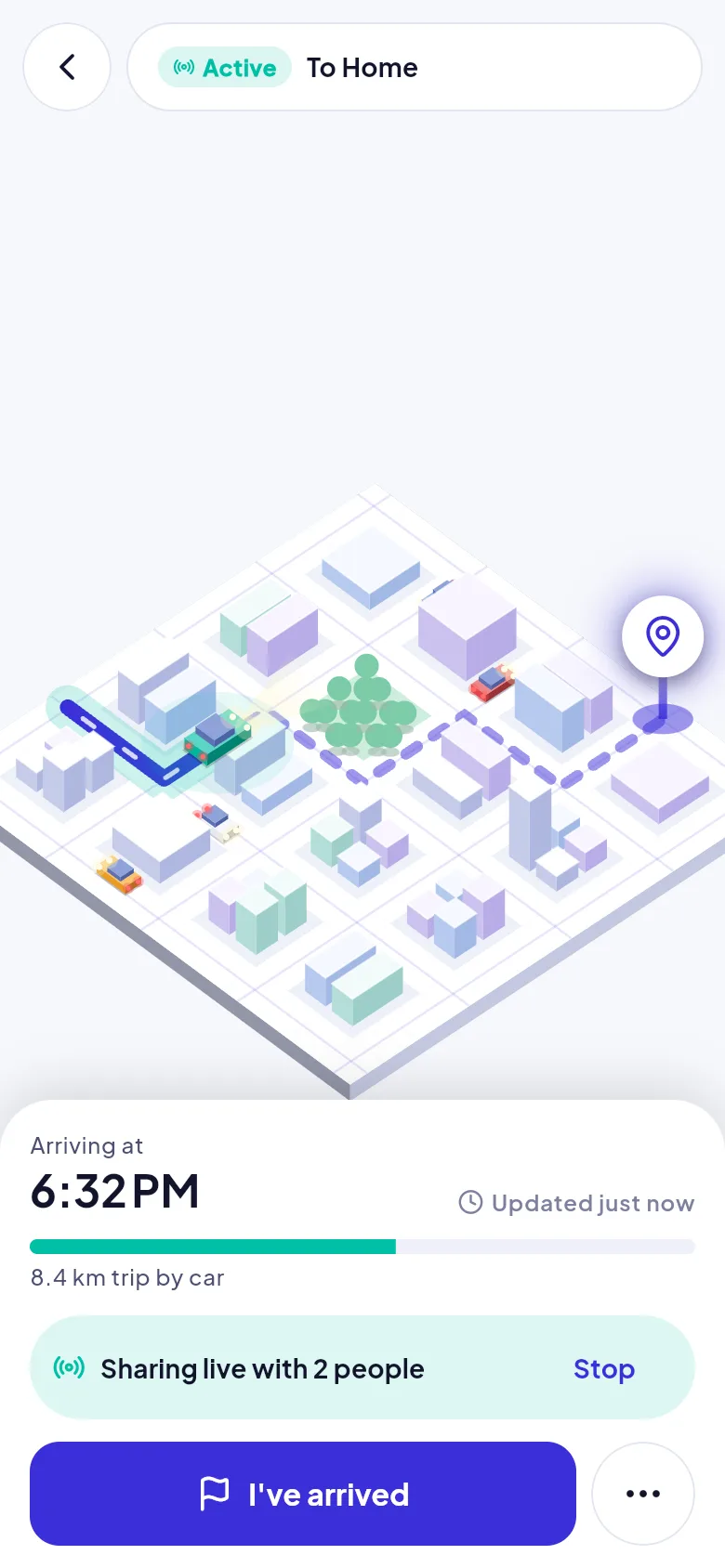
  • Route, progress and arrival time at a glance
  • A persistent “sharing live with people” bar with a Stop button
  • Keeps tracking on Android even when the app is minimised
  • Add a voice note in English or Hindi
Screenshot: Active journey screen showing the route on the map, arrival time and who is following

Trusted contacts who opt in

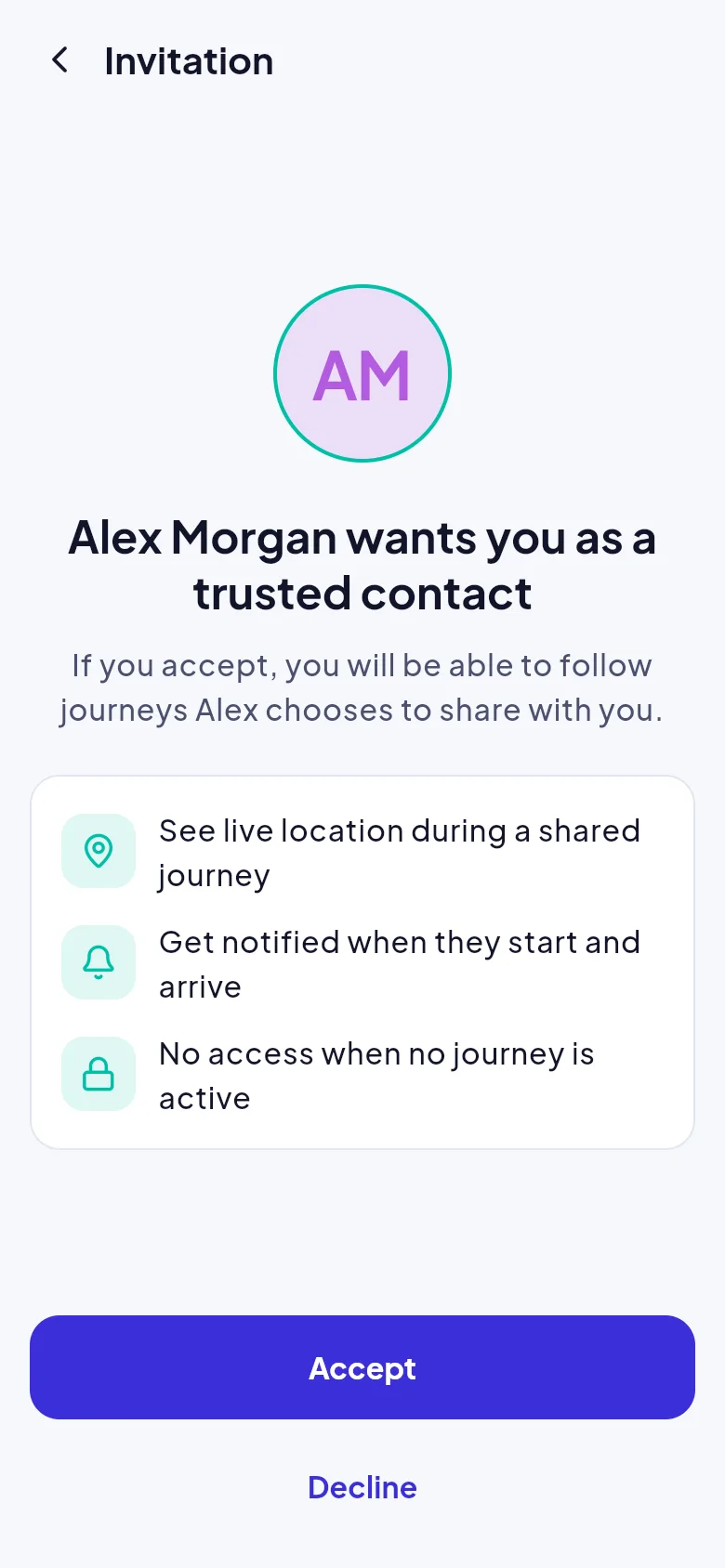
Invite people by phone number or email. Arrivo gives you an 8-character invite code to share; the other person enters it in the app, sees who invited them and what they will see, and accepts or declines. Until then they see nothing at all.
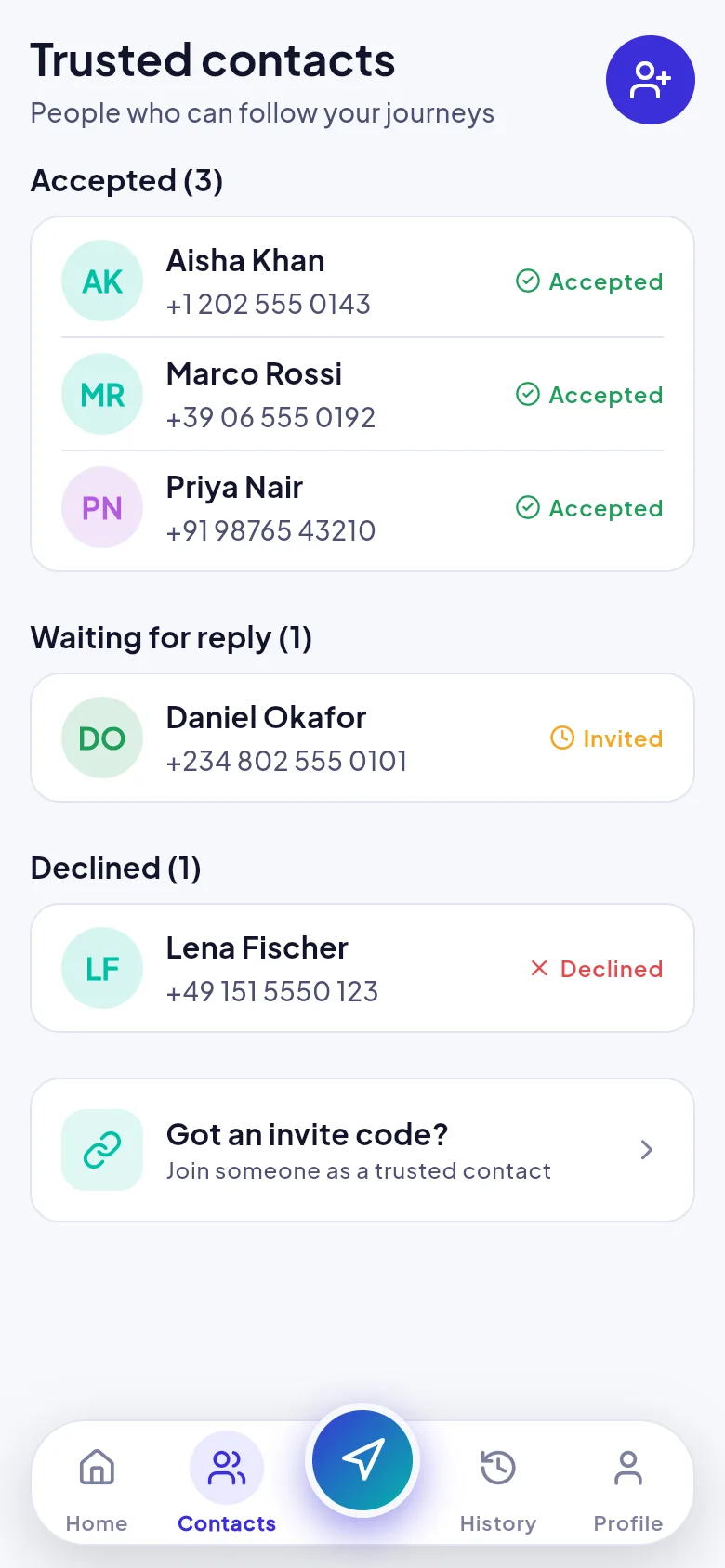
  • Accepted, waiting and declined shown in clear groups
  • Remove access instantly, even in the middle of a journey
  • Invitations by email appear in the app automatically
  • A contact can leave whenever they like
Screenshot: Trusted contacts list with accepted, waiting and declined people

A calm view for the people who care

Contacts open the journey and see your name, a status chip (active, late, arrived or ended), your expected arrival, the map and when your location was last updated. A Call button is always one tap away.
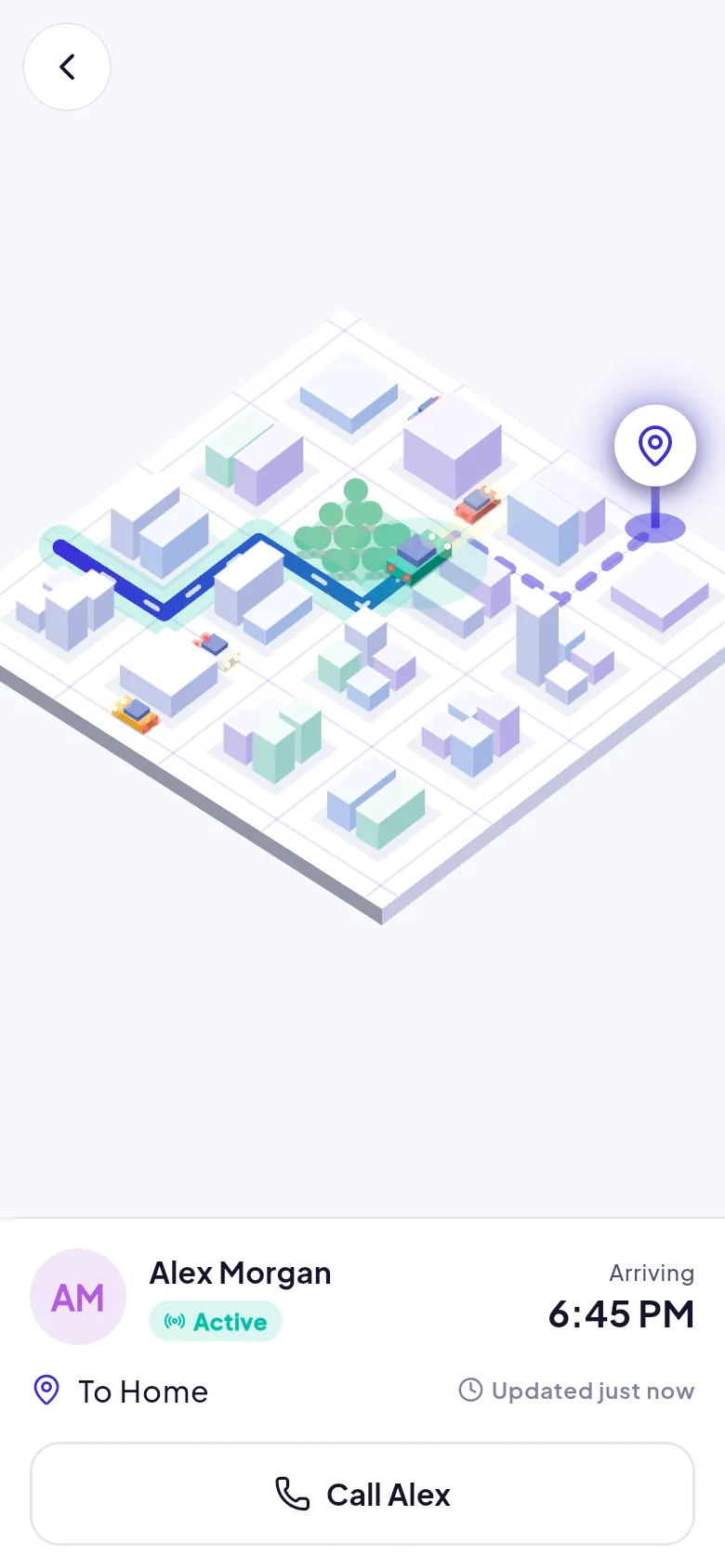
  • Refreshes every few seconds while the journey is in progress
  • A “location may be out of date” warning if updates stop
  • Read-only: they cannot see your history or your other contacts
  • Notifications never include your coordinates
Screenshot: Contact view following a traveller on the map with a Call button

A check-in if you run late

If your expected arrival time passes, Arrivo asks: are you okay? One tap on I'm fine clears it and tells your contacts. If you do not answer within the grace period, your contacts are alerted with your last known location and the time it was recorded.
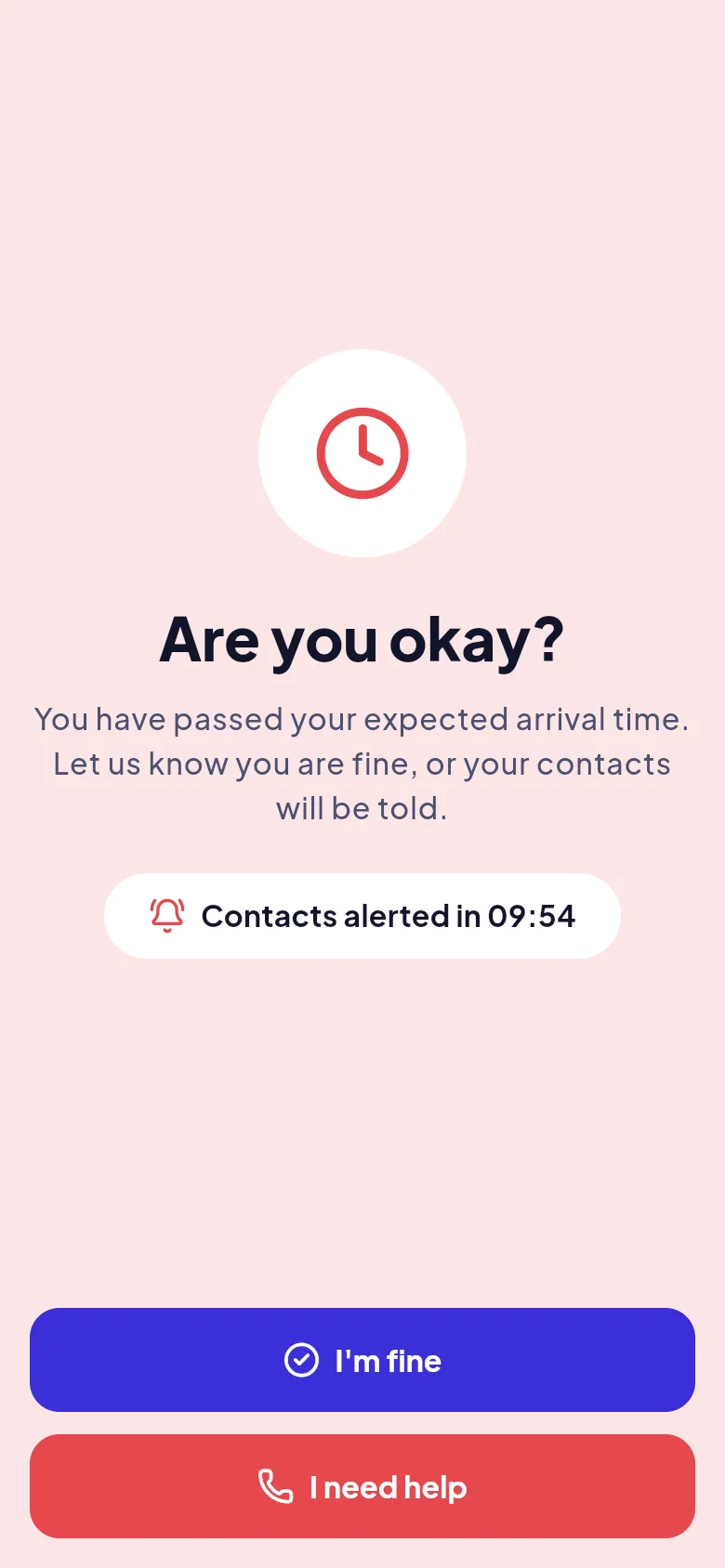
  • The check runs on the server, so it works even if your phone is off
  • The grace period is yours to set in the journey details
  • Choose I need help to alert your contacts straight away
  • Arrivo never contacts emergency services for you
Screenshot: Are you okay check-in screen with I'm fine and I need help buttons

A safety timer for moments without a journey

Meeting someone new, or walking home without a destination to enter? Start a timer for 15 minutes up to 1 hour 30 minutes. Tap I am safe before it ends and nothing happens. If time runs out, your contacts are told.
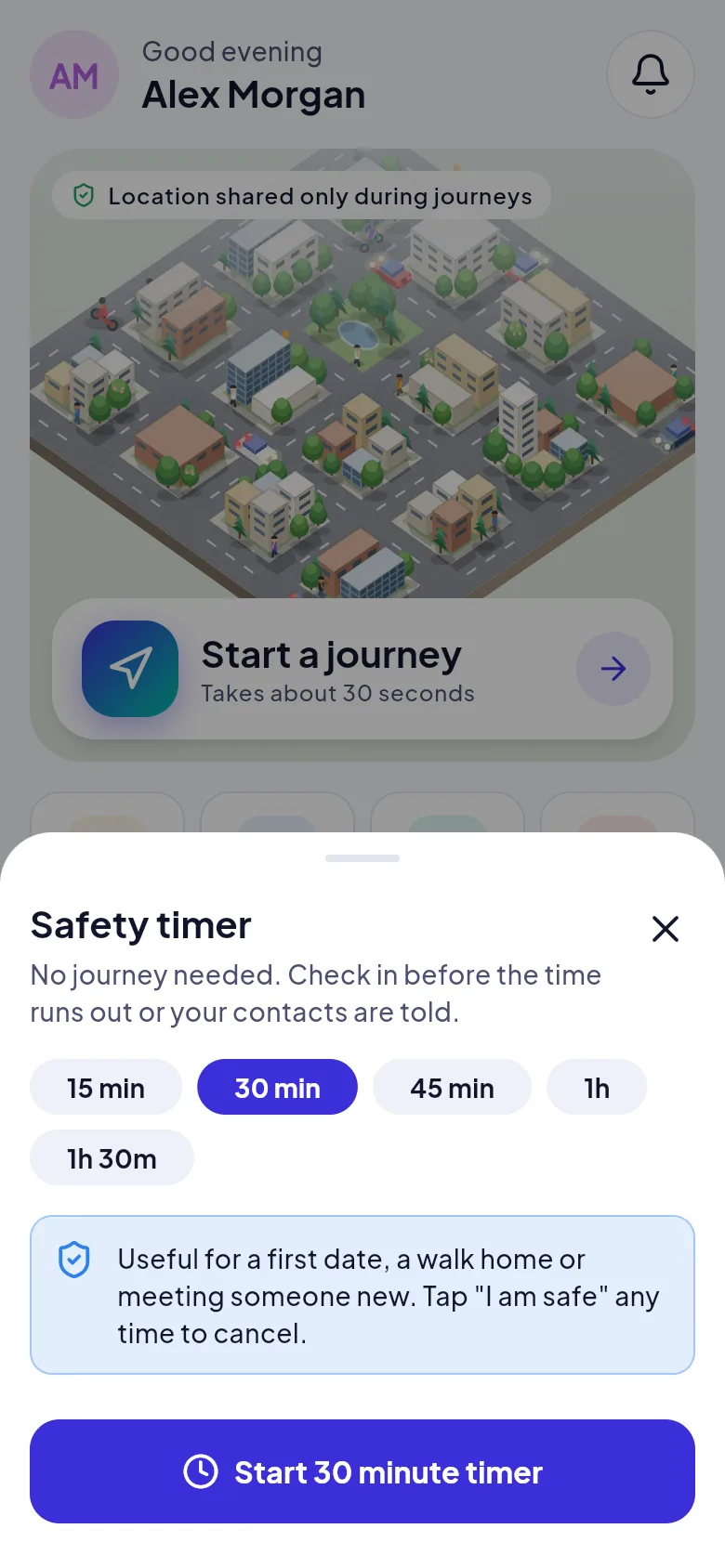
  • Cancel any time with one tap
  • A reminder arrives before the timer ends
  • Works without choosing a destination
Screenshot: Safety timer sheet to check in before time runs out

Arrive, celebrate, done

When you reach your destination, Arrivo can ask you to confirm. Say yes and sharing stops, your contacts are told you are safe, and you see a summary of the trip. Every journey is saved to your history.
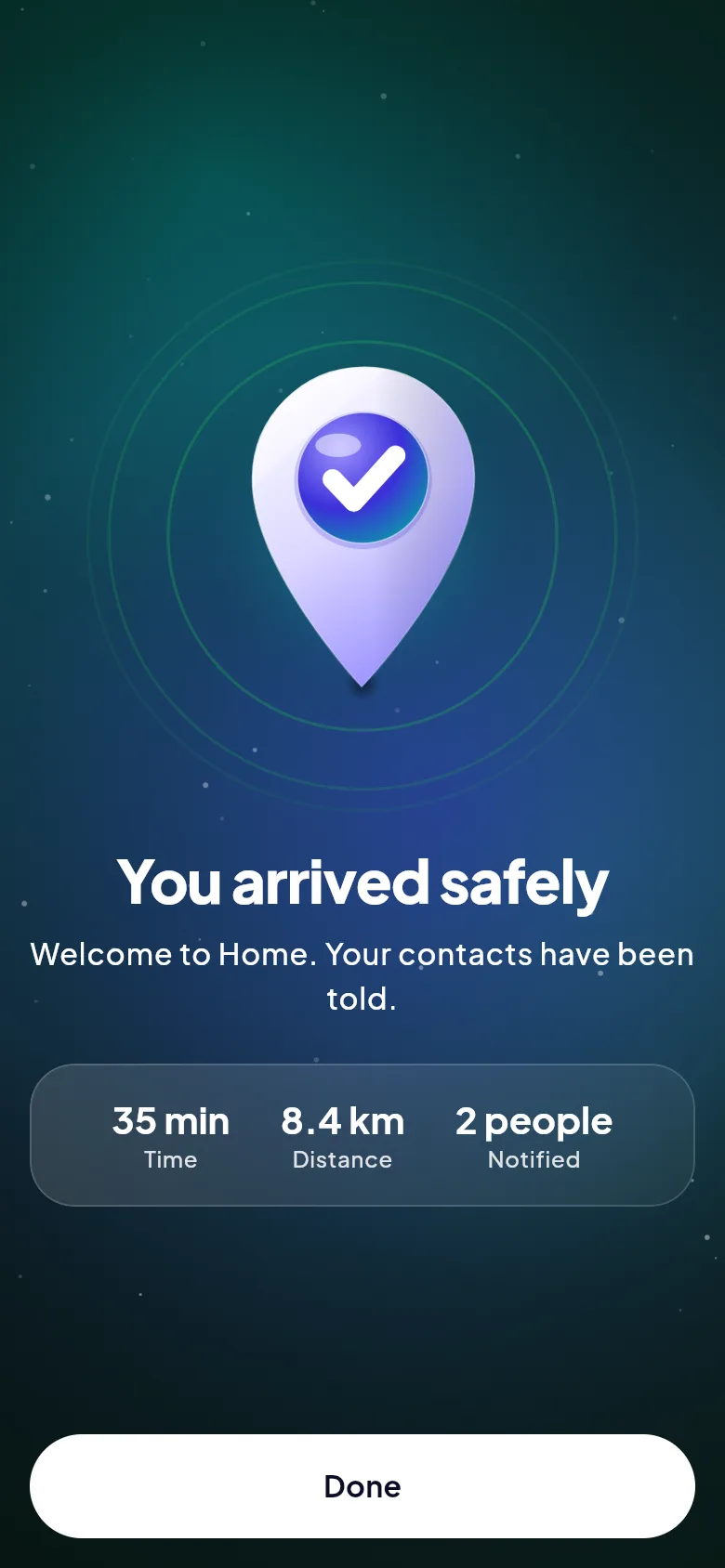
  • Optional automatic arrival detection near your destination
  • History grouped by month with expandable details
  • Delete any trip, and its stored route, whenever you like
Screenshot: You arrived safely screen with trip time, distance and people notified

Controls that keep it yours

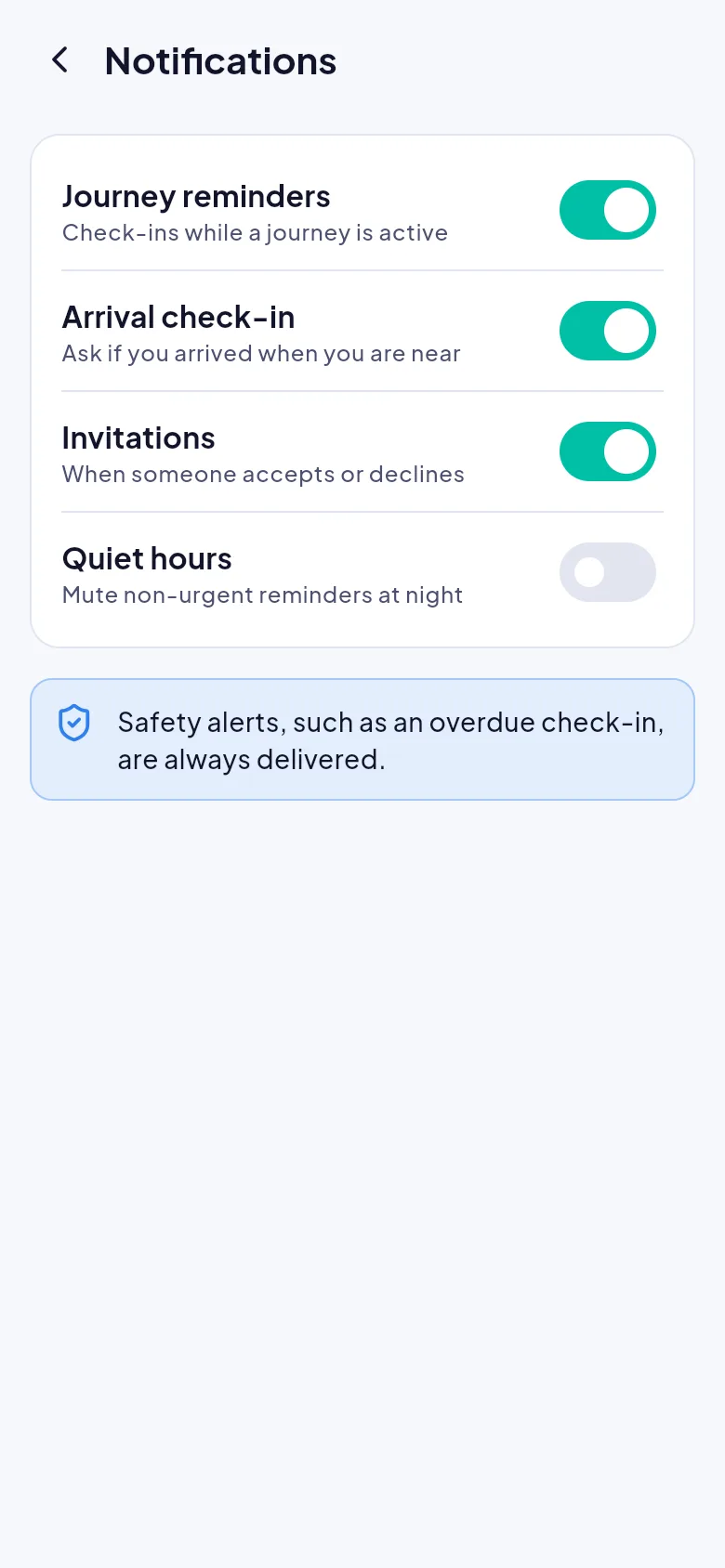
Profile and settings put you in charge: who can see your location right now, which notifications you get, quiet hours for non-urgent reminders, light or dark appearance, and a full export of your data.
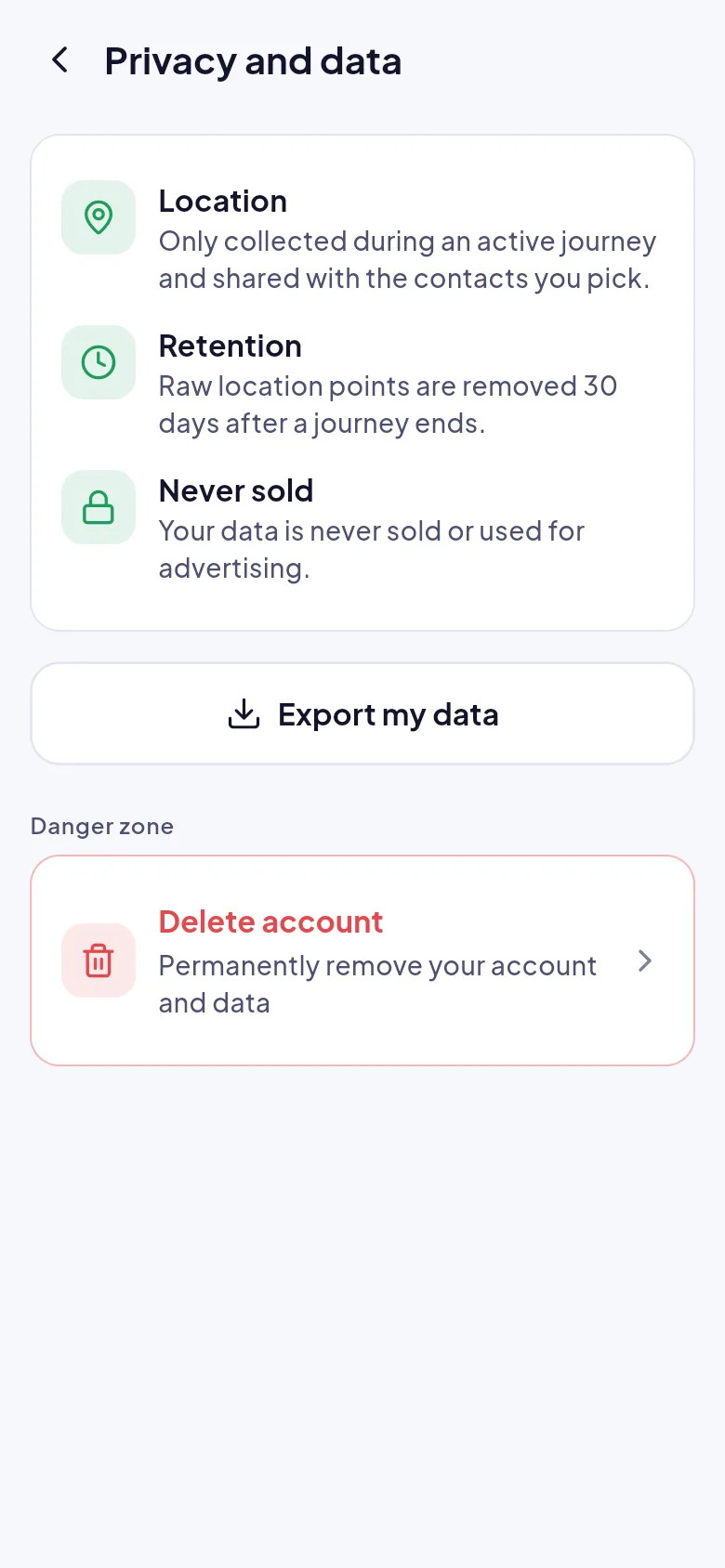
  • See at a glance whether anyone can see you right now
  • Safety alerts are always delivered, even in quiet hours
  • Export your data or delete your account from the app
Screenshot: Privacy and data screen explaining location, retention and deletion

And everything else

The details that make a trip feel looked after.

  • Share a journey

    Choose a destination, pick who to tell and tap start. Your last contacts are preselected.

  • Live map and arrival time

    Trusted people follow your route and expected arrival, with a clear “updated just now” label.

  • Trusted contacts, with consent

    Invite by phone or email. Contacts accept first, and removing one ends their access instantly.

  • A check-in if you run late

    Past your arrival time, Arrivo asks if you are okay before it alerts anyone.

  • Walk, bike, car, train or metro

    Door-to-door plans include the walk to the station, the ride and the walk after.

  • Ride details

    Share a photo of the number plate so contacts know which vehicle you are in.

  • Works when signal does not

    Offline? Arrivo keeps saving your location and sends it in order when you reconnect.

  • Private by design

    No coordinates in notification text. Your data is never sold or used for advertising.

More of the app

A few more screens you will use every day.
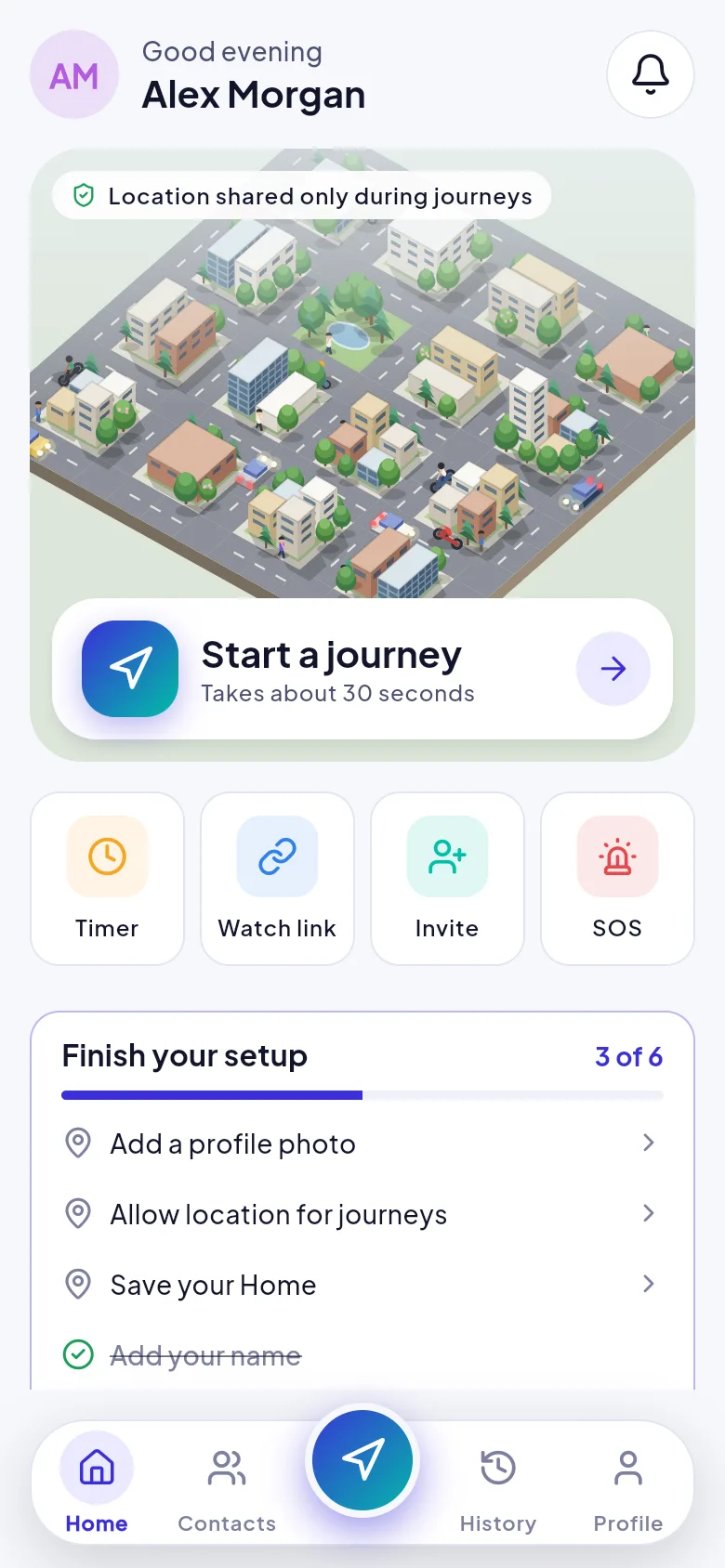
  • Screenshot: Arrivo home screen with the Start a journey card, Timer, Watch link, Invite and SOS shortcuts
    HomeStart a journey, set a timer, share a watch link or invite someone.
  • Screenshot: Invitation screen asking someone to become a trusted contact
    InvitationsSee who invited you and what they will see before you accept.
  • Screenshot: Notification settings with journey reminders and quiet hours
    Notification settingsJourney reminders, arrival check-ins and quiet hours.

Try Arrivo on your next trip

Share the journey. Celebrate the arrival.